Sketchiebook
Look at the same detail together.
Working local tool
Look at the same detail together.
Sketchiebook is a local image notebook for visual conversation. Draw around a detail, leave a note, and keep the replies attached to the place the note is about. One observation can include several regions, so a relationship across the image can stay one thought.
A note can hold a relationship
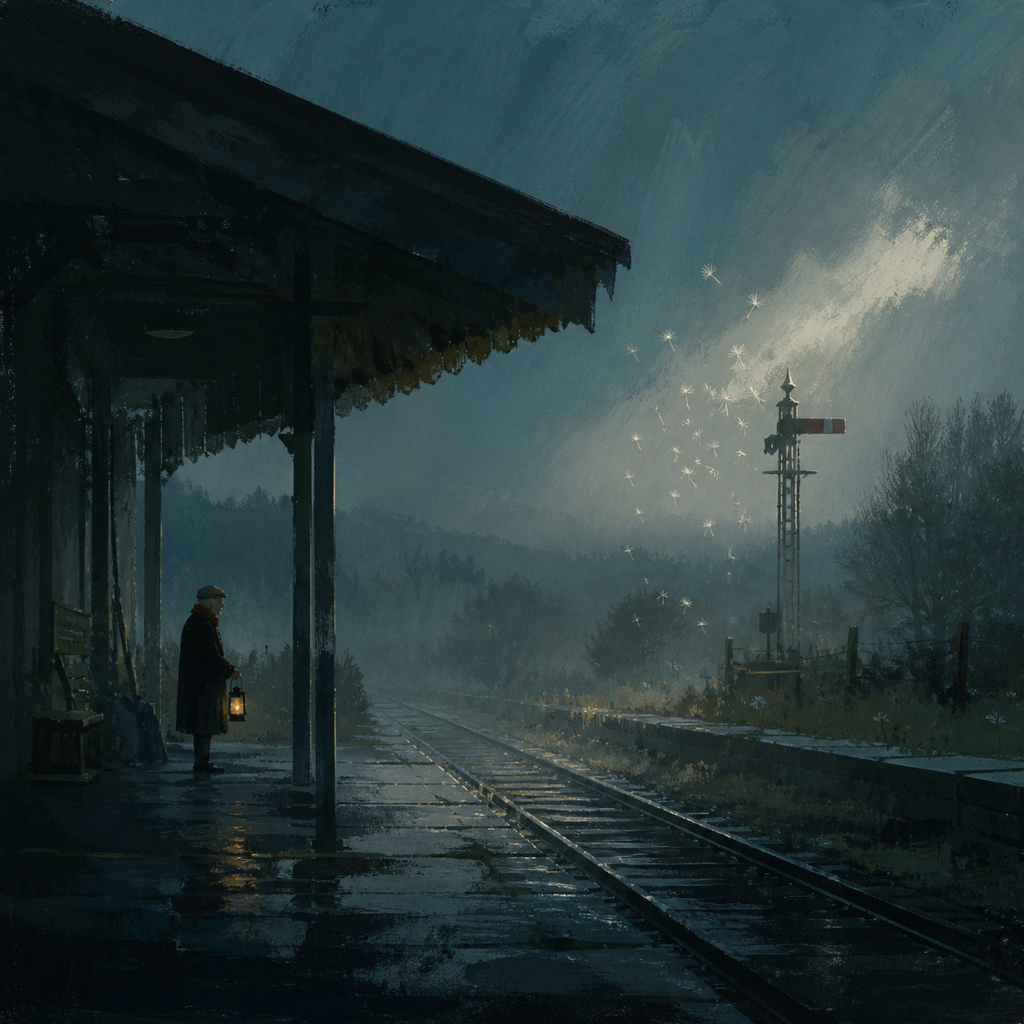
In a painting of a railway platform, I marked five regions with one note: “pockets of light.” The reply discussed the keeper's lantern, reflections, rail glints and the opening around the signal as parts of the same observation.
A shared observation
One note. Five places in the image.
Choose an observation
Krystian · Note 01
pockets of light
Sketchie
Yes—this is the gravity mechanic in miniature. The keeper’s lantern, the reflected platform lights, the rail glints, and the pale opening around the signal are separate little energy sources. None competes with the storm-lit sky; each keeps its own pocket of the station alive.
5 regions, one conversation
Krystian · Note 05
pattern rhythm
Sketchie
Yes—the roof planes, dripping eaves, vertical posts, and signal lattice repeat dark–light–dark at different scales. That rhythm carries the eye inward before the rails take over; structure becomes pacing.
5 regions, one conversation
Krystian · Note 08
look at the variety of brush strokes, application, detail. these create a whole scene. a full narrative
Sketchie
Yes. This is the larger lesson: scumbled rain sky, blunt roof masses, fine signal geometry, softened trees, small warm windows, and wet linear rails each use a different mark because each has a different narrative job. The variety is coordinated, not decorative—and that is why the whole station feels inhabited.
5 regions, one conversation
Two other notes on the image also join five regions each: “pattern rhythm” and an observation about varied brushwork building a full narrative. The selections make a comparison explicit without requiring the person to name every location in technical language.
The working image and its conversation
The workflow preserves the untouched original PNG and makes a same-dimensions AVIF for everyday use. The lighter working image keeps the full pixel dimensions while reducing the file footprint.
Each working image has an adjacent notes file containing its fingerprint, selected regions, comments and replies. The exact generation prompt is saved as a whole-image note. Region selections are relative to the image, so their placement follows the image as its displayed size changes.
| What is kept | Why it matters |
|---|---|
| Original image | Return to the generated source |
| Working AVIF | Use the image with a smaller file footprint |
| Exact prompt | Inspect what was asked for |
| One or several selected regions | Preserve what the observation refers to |
| Note and replies | Return to the conversation about that detail |
Built around the act of looking
The workbench opens one image at a time. Selections can be hidden to look at the image unobstructed. A note can refer to the whole image without inventing a region. When a new working copy arrives, the workbench follows it after any unsaved note or drawing has been resolved.
Those small decisions keep the conversation close to the image. A local app launcher opens the workbench, with Shasta and her magnifying glass as its icon.
Questions can arrive later
I want to be able to “compare and observe meaningful relationships.” Keeping the prompt, image and conversation together gives later questions something specific to return to. Ordinary drawing and exploration can leave useful material without needing an evaluation or verdict.
The next capture work asks how to bring those records together for comparisons while preserving their source context: images, wording, recurring details, revisions and the observations made about them.
Sources & further reading
- Sketchiebook: image and note mechanicsProject documentation
- Sketchie: image, prompt and notes workflowProject documentation
- Pockets of lightImage conversation · 6 September 2026
- Comparing meaningful relationshipsAuthor direction · Beta-v2 plan